Working with Results
Working with Results
DBeagle shows query output in the DBeagle Results panel by default. You can also detach a result into its own editor tab when you want to keep it visible while you continue editing SQL.
Result lifecycle
Results move through two practical states:
- Streaming: rows are still materializing, and DBeagle shows live progress
- Finalized: the query has completed, so full sort, filter, export, and chart interactions are available
If the first full page is ready before the query finishes, DBeagle shows it immediately instead of waiting for the entire result set.
Grid features
Search, sort, and filter
Use the toolbar and headers to:
- Search across the visible result set
- Sort by a column
- Filter individual columns
These operations apply to the finalized result, not just the rows visible on the current page.
Pagination and page size
DBeagle paginates large results and lets you choose the page size. The built-in options are:
501002505001000
Column management
The grid supports:
- Sticky headers
- Sticky row numbers
- Column resizing
- Column reordering by dragging headers
Selection and copy
You can select:
- Individual cells
- Ranges of cells
- Whole rows
- Whole columns
Use Cmd/Ctrl+C or the copy action in the result toolbar to copy the current selection.
Query details
The details panel in the results toolbar shows useful execution metadata such as:
- Connection name
- Statement position in a multi-statement run
- Query id when available
- Rendered SQL
- Status and error text
Truncation
DBeagle stops ingesting rows once it reaches dbeagle.resultGrid.maxRows. When that happens, the session finishes with an explicit truncated status instead of silently continuing forever.
Non-tabular statements
If you run a statement that succeeds but does not return rows, such as a write statement while write mode is enabled, DBeagle shows a completion card instead of an empty grid.
Detached results
Use the detach action when you want the result in its own editor tab.
Detached results stay alive even if you close the source editor. They go away when you close the detached panel itself.
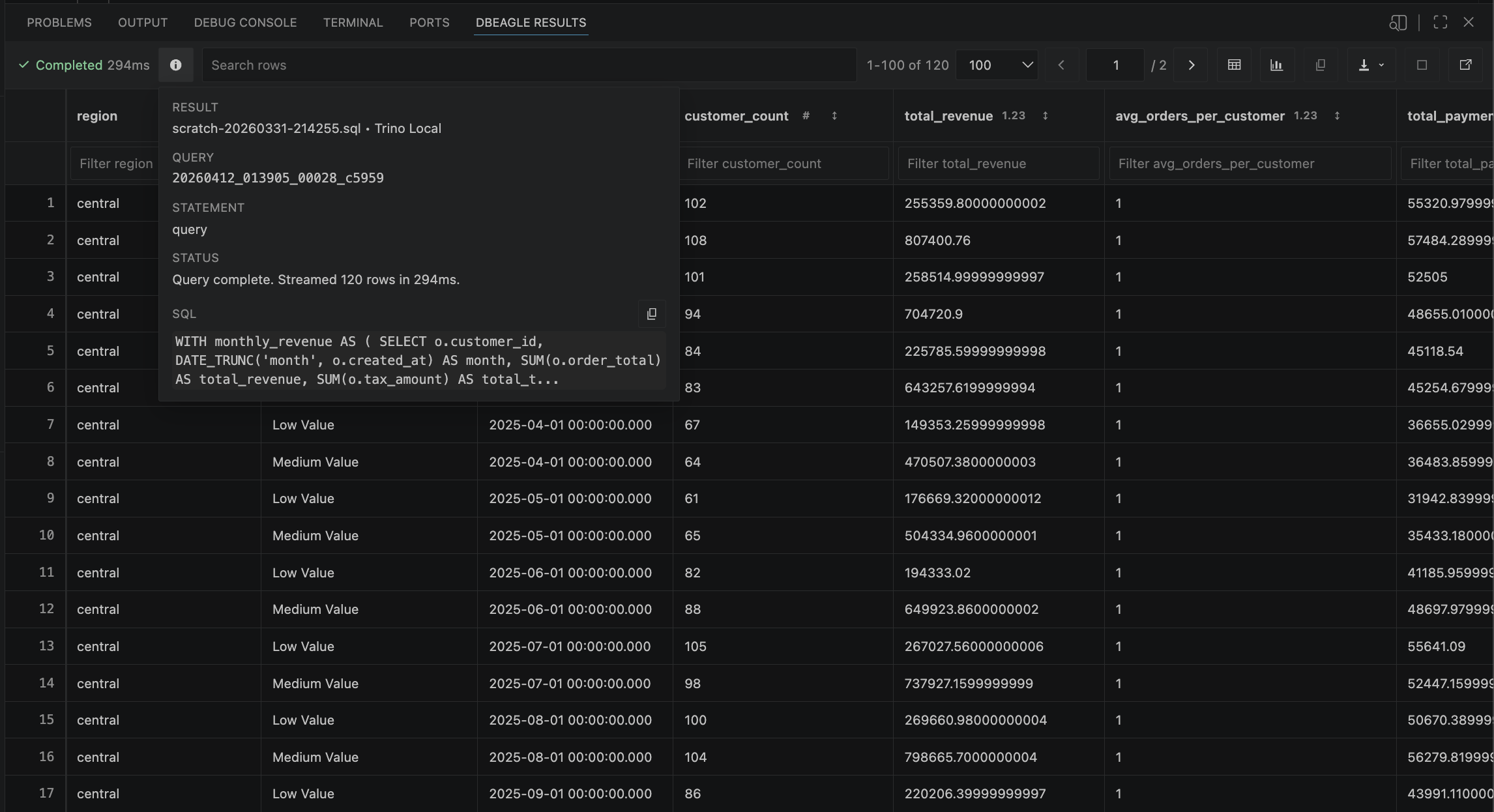
The DBeagle result grid with the toolbar and result browser controls.
Related settings
dbeagle.resultGrid.pageSizedbeagle.resultGrid.maxRowsdbeagle.resultGrid.defaultViewdbeagle.resultGrid.detachPosition